Map-First Operating System For Door-to-Door Teams

    Close more deals without spreadsheets

    DoorPro helps door-to-door and field sales teams run maps, routes, follow-up, coaching, and AI-guided next steps in one mobile-ready CRM.

    Built for owners, managers, and reps who need tighter territory control, faster field updates, and fewer lost opportunities between the first knock and the final follow-up.

    • Prioritize the next best doors, visits, and check-backs
    • Give managers live territory, route, and follow-up visibility
    • Keep reps moving from map to update to next action on mobile
    HTTPS secure sitePrivacy-first contact formsDomain-based supportConsent-aware messaging
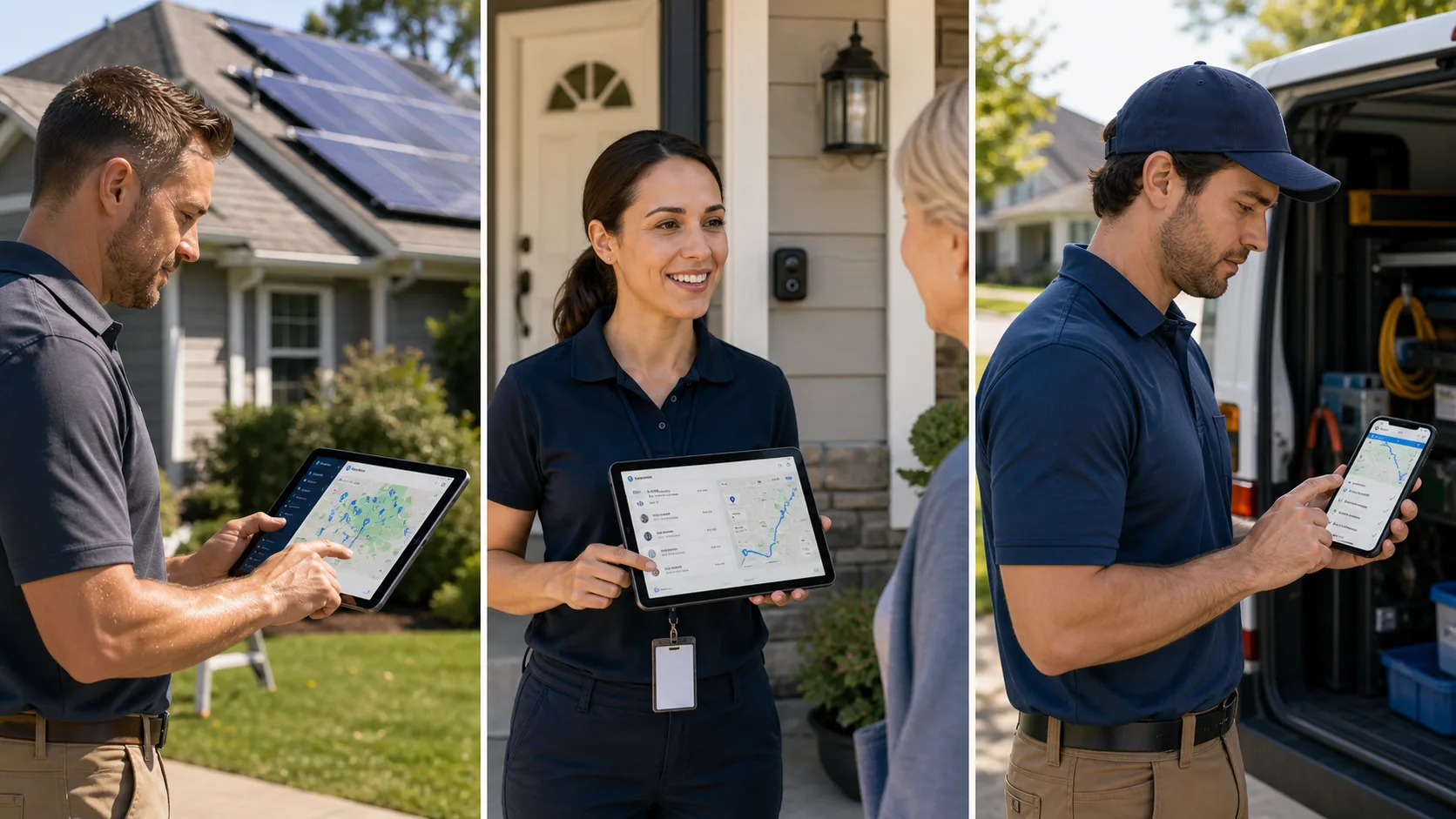
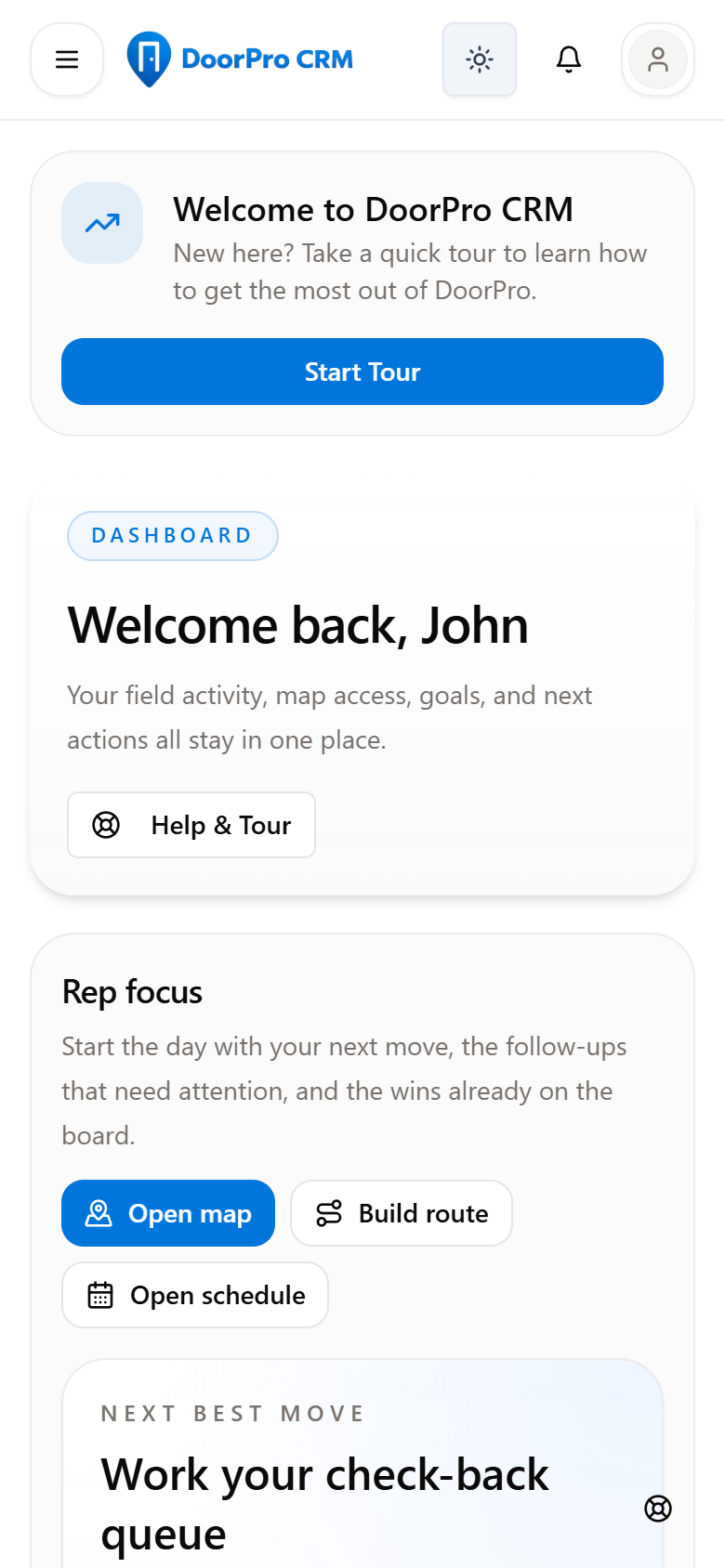
    DoorPro dashboard and mobile route planning view

    Map-first CRM

    Contacts, territories, routes, visits, and follow-up stay connected in one field workflow.

    Fewer scattered tools

    Replace spreadsheet lists, text-thread updates, and disconnected follow-up reminders.

    Start free

    Evaluate the workflow first, then add Pro or team rollout support when the operation is ready.

    Built for teams like yours

    DoorPro is shaped around the daily work of field sales, canvassing, home service, security, and solar teams.

    Field sales
    Canvassing
    Home services
    Security
    Solar

    How DoorPro works

    A CRM workflow built around the field sales day

    Manage contacts, territories, routes, follow-up, and team activity from one map-first workspace.

    Daily sales workflow

    1. 1Import or add leads and make them map-visible
    2. 2Plan territories, routes, tasks, and appointments
    3. 3Work the field from mobile map and contact views
    4. 4Capture outcomes, notes, and next steps at the door
    5. 5Coordinate reps, schedules, chat, and manager visibility
    6. 6Review reporting, coaching signals, and follow-up gaps

    For reps in the field

    See nearby leads on the map with status and follow-up context.
    Update outcomes, notes, appointments, and next steps from mobile.
    Keep the next best doors and check-backs easy to find.

    For managers

    Review territories, rep activity, routes, and schedule progress.
    Track follow-up, conversion patterns, sales activity, and coaching needs.
    Keep the team aligned without relying on spreadsheets and group texts.

    Why teams move to DoorPro

    Replace scattered lists, maps, notes, and follow-up reminders

    DoorPro brings the core field-sales workflow into one CRM: mapped leads, territory ownership, route planning, mobile updates, follow-up, and manager reporting.

    Mobile workflow
    Update leads from the field

    Reps can log outcomes, notes, callbacks, appointments, and sales details while the conversation is still fresh.

    Map and territory
    Plan routes with better context

    See leads by status, assign territories, build routes, and keep ownership visible as reps work the area.

    Manager visibility
    Track activity and follow-up

    Review rep activity, schedule progress, conversion trends, and follow-up gaps from the same system.

    Best fit

    Best fit for teams that need execution and visibility together

    Door-to-door sales teams that need a real operating system

    Field sales managers who need live coaching visibility

    Canvassing teams running neighborhoods, routes, and follow-up

    Owners replacing spreadsheets, texts, and generic CRMs

    Operating loop

    How It Works

    A simple operating loop from setup to follow-up and coaching.

    Create your account, invite the team, and configure statuses, scripts, quick sheets, and workflow defaults around how you actually sell.

    Import contacts, map them, draw territories, and turn the day into a clear plan with routes, appointments, and next actions.

    Track visits, follow-up, appointments, sales, AI coaching signals, and rep performance as the day unfolds.

    Product depth

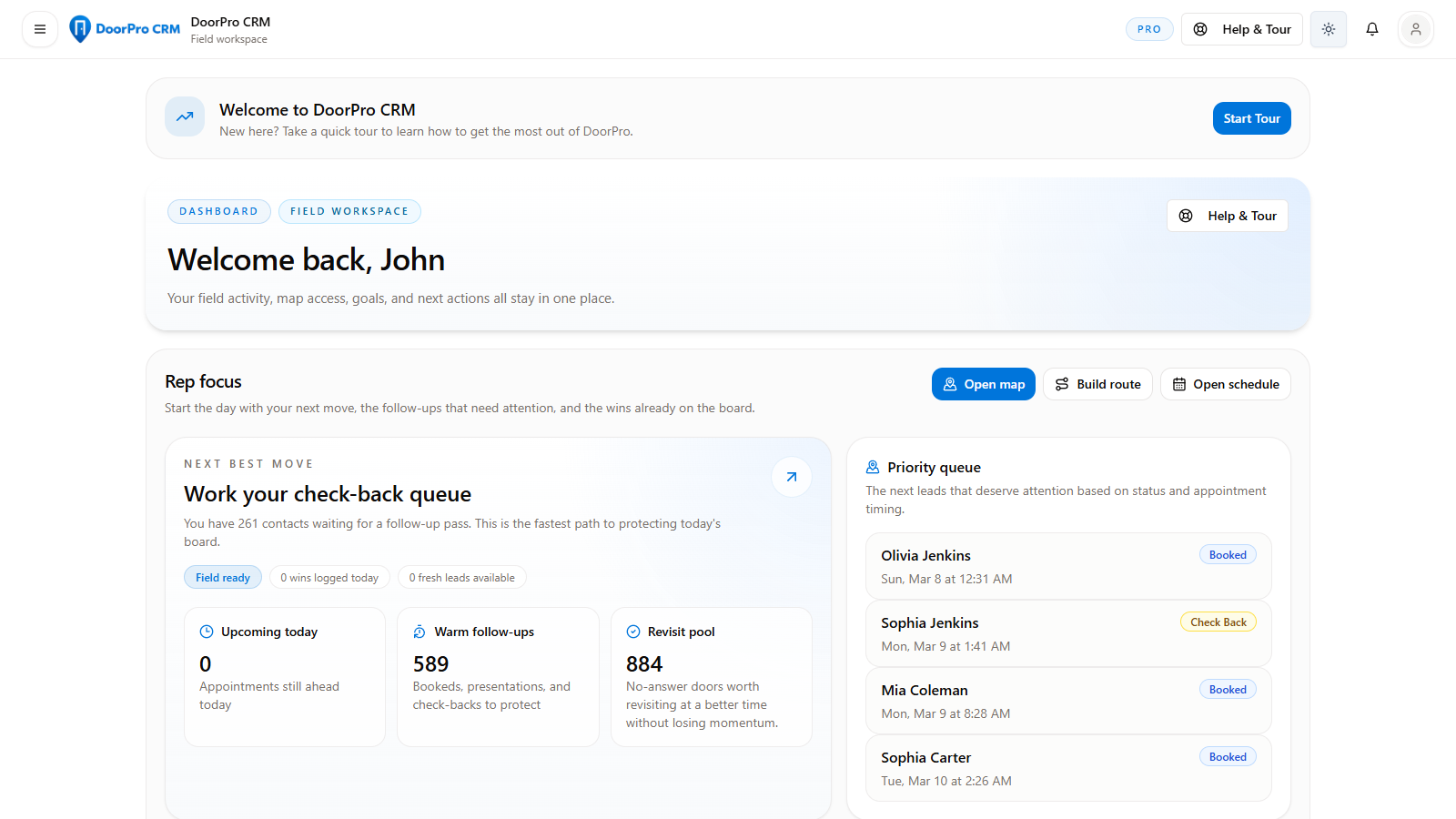
    One operating view for route execution and manager visibility

    See the product the way buyers evaluate it: route planning, live field updates, and team oversight connected in one workspace instead of scattered across separate tools.

    Desktop dashboard + mobile route viewManager visibilityMap-first execution
    DoorPro desktop and mobile workflow composite

    Core advantages

    Turn Every Door Into A Structured Next Step

    Map-First Execution That Keeps The Day Moving

    Work from the live map, build practical routes, assign territories, and keep every door tied to the next action instead of bouncing between tools.

    Track Every Visit, Check-Back, and Follow-Up

    Capture statuses, visit notes, appointments, callbacks, and follow-up pressure so warm leads do not disappear after the first knock.

    Give Reps and Managers the Same Source of Truth

    Keep contacts, schedules, territories, chat, sales activity, time tracking, and rep performance in one connected workspace.

    Use AI Guidance Inside The Actual Workflow

    Give reps and managers AI next steps, follow-up drafts, route briefs, territory coaching, and page-by-page help without leaving the app they already use.

    DoorPro mobile quick visit update workflow

    At-the-door workflow

    Fast field updates that keep follow-up structured immediately

    Reps can update outcomes, save notes, and lock in the next step while they are still at the door, which helps warm leads stay organized instead of slipping into text threads or memory.

    Quick visit updatesStructured follow-upMobile-first execution

    Implementation confidence

    Evaluate DoorPro against the field day you already run

    The best buying test is simple: run your actual process against the workflow and see whether execution, visibility, and follow-through get tighter.

    Start with fit, not a forced rollout

    Teams can start free, review the workflow, and use the public contact path for real implementation questions before committing to a bigger rollout.

    Evaluate the real operating loop

    The useful test is whether your contacts, map, territories, routes, follow-up, and manager visibility feel tighter in one connected workflow.

    Built for both reps and managers

    DoorPro is designed to support the person at the door and the person trying to coach, assign, and manage the day from above.

    Connected rollout view

    See the route, schedule, and manager view as one operating system

    Buyers should be able to see the full operating loop before rollout: what reps work, what managers review, and how follow-up stays visible as the team grows.

    Map and territory contextSchedule coordinationManager visibility
    DoorPro rollout confidence product composite
    Map-first contact management with status-colored lead pins and quick field actionsVisit tracking, note history, check-back workflows, and next-step follow-up disciplineScheduling for tasks, appointments, presentations, callbacks, and route-driven workInteractive mapping with filters, live lead context, and turn-by-turn navigation handoffTerritory drawing, assignment, sharing, and practical coverage analytics for reps and managersAdvanced route planning, route execution, and route recovery workflows

    Pricing snapshot

    Simple Pricing For The Full Field Workflow

    Start free, move into serious solo execution, then scale into shared visibility and stronger team control.

    Starter (Free)

    $0

    • 1 user
    • Up to 50 contacts
    • 1 territory
    • Limited scheduling

    Best for solo reps

    Pro

    $59/month

    Or $49/month billed annually

    • 1 user
    • Unlimited contacts
    • Unlimited territories
    • Unlimited schedules
    • Advanced routing

    Built for serious solo reps who need advanced routing, follow-up, reporting, and AI guidance.

    Most Popular

    Best for small teams

    Team

    $179/month

    • Up to 5 users
    • Manager visibility
    • Shared territories
    • Team chat
    • Route oversight

    Built for shared territories, manager visibility, team chat, route oversight, and scorecards for small field teams.

    Pricing FAQ

    Do I need a credit card to start?
    How does annual billing work?
    Can I cancel anytime?
    Does this work for canvassing teams?
    Can I import my existing contacts?

    See how DoorPro fits your field operation.

    Start free or talk through territories, routes, follow-up, AI guidance, and team rollout before you go deeper.

    Starter, Pro, Team, Growth, and Enterprise support everything from solo field execution to multi-team rollouts.